
Backup and Failover Links
Backup and failover internet links for business continuity, redundant connectivity and automatic WAN failover.
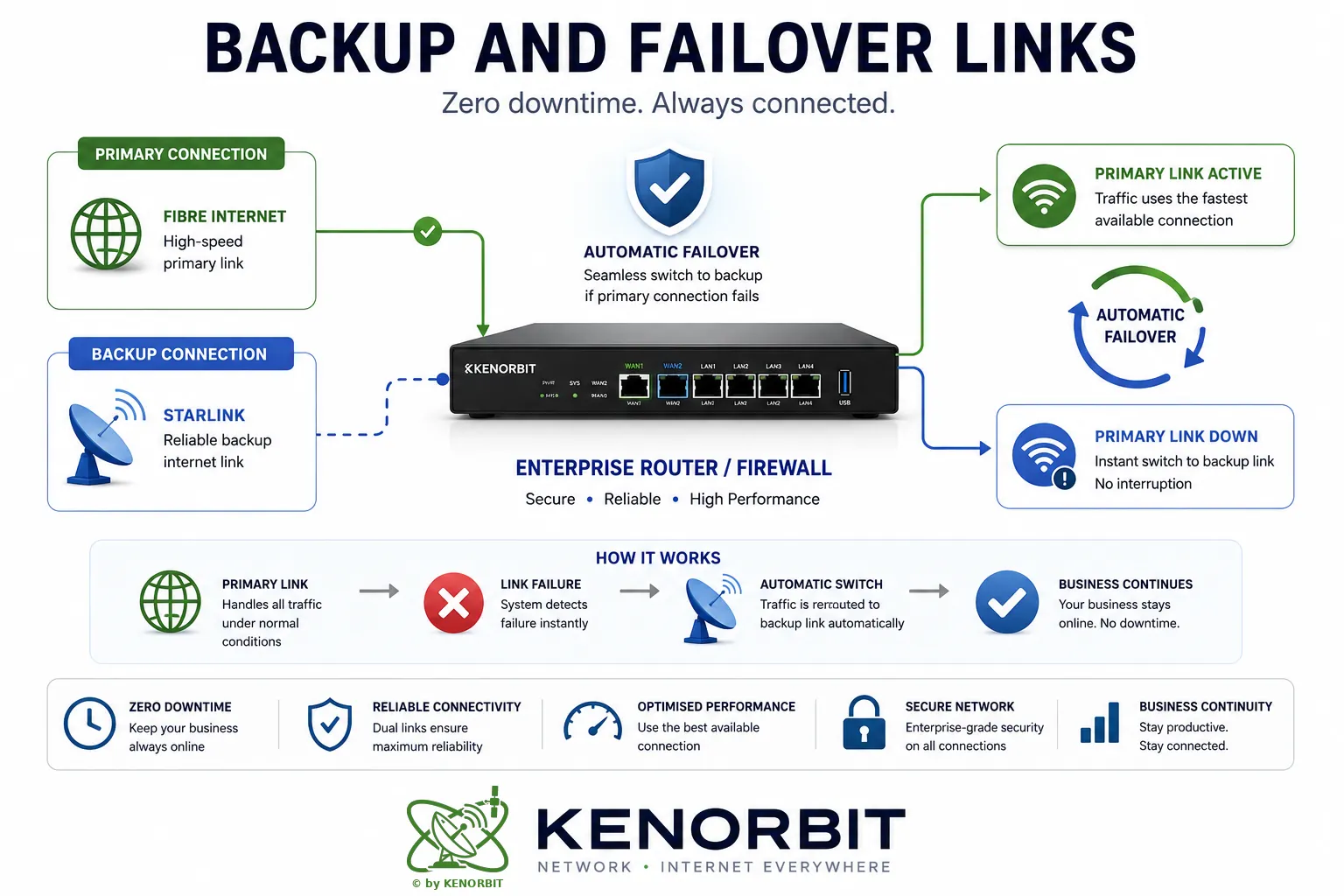
How it works, step by step
- Primary linkBusiness traffic normally uses the main internet connection, such as fibre, wireless WAN, leased line or another primary provider.
- Traffic flowAll network traffic is routed through the business gateway, where the active connection handles daily internet communication.
- Failure detectionIf the primary connection becomes unstable or unavailable, the system detects the interruption automatically in real time.
- Automatic failoverTraffic is immediately switched to the available backup path, which may be satellite, LTE, secondary ISP or another WAN source.
- Business continuityBusiness operations continue without major interruption, keeping users, systems, cloud services and communications online.
Related solutions
- Business Internet ConnectionsBusiness internet connectivity for offices, hotels, commercial operations and enterprise network environments.
- Remote Site ConnectivityRemote site connectivity deployment for off-grid operations, construction sites and temporary business environments.
- Hotel, Office & Field DeploymentHotel, office and field deployment models for reliable connectivity, managed Wi-Fi, secure networks and scalable infrastructure.